melbourne

Well, most of you know that I just got into a new relationship. I’ve been keeping it under wraps for a while since my girlfriend, in her infinite wisdom, doesn’t like publicity. I just recently revealed who it was during a trip to Melbourne about a week ago.

limited edition candy ripe

It was our first overseas trip together and it’s kinda how we got together. I like showering her with gifts – little ones that says “I love you” and lets her know that she’s always in my heart whenever and wherever I go.

bali

I do travel quite a bit – I went to Bali straight after that and we spent several days physically apart. It’s all good though, with communications the way it is nowadays, it’s always easy to keep in touch. We’re the digital generation – with data roaming and WiFi connections, using Facebook or Whatsapp to message each other is easy.

whatsapp

It’s always important to stay in touch – data has always made a lot of difference for us. I can send photos of what I’m doing to my girlfriend. I snapped a photo of something that means a lot to us (it’s an inside reference to our relationship) the moment I got off at Ngurah Rai Airport in Denpasar.

whatsapp images

Little things like this can make a lot of difference in a relationship. It shows that you’re constantly thinking of her. <3

I honestly would be hard-pressed to name disadvantages in the gift of data in a relationship…unless you’re cheating on your other half and is somewhere you’re not supposed to be – say, KL instead of overseas – and your GPS location settings on Facebook shows that. smirk

It’s all good, all the way for me.

chat

We actually got together thanks to Facebook and Whatsapp. It’s what made this relationship *possible* – how I noticed her and started chatting with her and finally made my feelings known to her. It was a big step coz I thought it would have alienated her but luckily it seemed that we were meant to be.

Data is what brought us together and I’m thankful for that coz I’m lucky to have Ling in my life. :)

relationship

Anyway, that’s my story. There’s another interesting around that’s doing the rounds on the net. I’m sure you’ve seen the Don’t Lose It All videos circulating around but in case you’re one of the few who hasn’t, you can view the previous short videos on that link.

There are 3 episodes in the rather interesting love triangle of Amy, Nick and Joe. The most riveting part about this is that the audience (which is you and me) gets to choose the plot via voting!

I won’t give out any spoilers here so go watch the videos if you haven’t already.

xpax wong fu

The final episode is, as usual, chosen by votes – it was a close one between Nick & Amy and Amy & Joe…and guess who won? Fans of Nick & Amy rejoice!

Here’s the final episode of the epic story as voted by you! It’s interactive, interesting and quite frankly, better than a lot of the other locally produced fare on air nowadays. Don’t ruin the ending if you haven’t watched the first 3 episodes – watch from the start!

It’s an interactive extravaganza like no other, with the finale aptly done! Check out the final episode at Don’t Lose It All! :)

P/S – The storyline is a little like mine – couldn’t have done it without data. Haha! You can dial *128# to pick a data pack on Xpax and load up to stay in touch 24/7 with your loved one!

windows 8

Yup, I’ve installed Windows 8 to replace the Windows 7 Home Premium Edition I’m running on my main workhorse.

windows versions

I’ve upgraded my notebook several times in terms on hardware (RAM, HDD etc) and I’m always excited when a new OS comes out. Windows 8 Pro 64-bit (my notebook runs 64 bit natively, though there’s a 32-bit version of Windows 8) has a lot of things that I like and having spent a couple of weeks with it, I’ve managed to single out 8 features that I love.
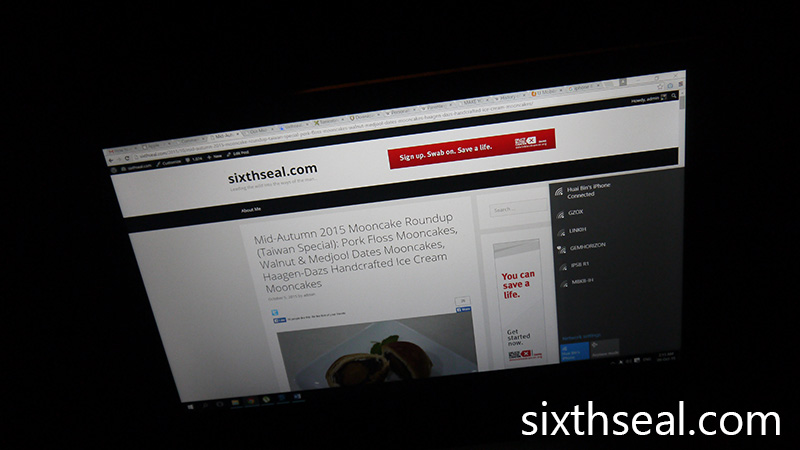
windows 8 install

It’s hard to go with just 8 since there are a lot of new additions to enrich your experience. Some are essential and some are just stuff that are just plain fun.

I write a lot, love to travel and have been blogging since April 2002 so I’ll keep my experiences on that personal level.

1. Start Screen

This is the much anticipated feature (in addition to Live Tiles) of Windows 8 and it takes some getting used to, but there’s no going back after that.

windows 8 start

This displays my most commonly used apps and I can see various messages flood in via Live Tiles in the People and Messaging apps, which I use the most. This way, I just have to synchronize my email, Facebook, Twitter, IM clients and it’ll all be integrated into one place.

I like to travel pretty randomly (without any plans and flying by the seat of my pants) and this feature allows me to just see what’s going on in Travel, check the Wikipedia app (stating local customs and faux pas e.g. not eating the doughy tops of khinkali, a type of Georgian dumpling and also pronunciation), pull out Internet Explorer 10 for bus/train schedules and all that while talking to people who’re there so I can maybe couchsurf.

That’s taking “keeping in touch” to a whole new level.

2. Enhanced Search

I love this feature coz it’s perfect for lazy people like me. Heh.

windows 8 search

Just type anything directly from the Start Screen and it’ll appear. I typed “Sky” in this case and SkyDrive pops up as one of the features so I don’t have to go rooting about for it. It’s really a time saver.

I can also expand the search to various areas (which is customizable) for it to trawl anything from Windows Store to the entire Internet. Nifty, this one, and handy for finding facts online by just starting to type on the Start Screen.

3. Snap apps

This is a godsend for blogging!

windows 8 blogging

Just hover your mouse to the left and out pops a list of currently running apps. You can actually drag one of those apps out so you have two apps on your screen. This can be resized as you wish so I can dedicate 3/4 of my screen to Photoshop for photo editing and the other 1/4 to WordPress on IE 10 to add the photos to my blog or reply comments.

…and yes, both of the apps work at the same time. :D

4. Easy Screenshots

This is just amazing and it’s how I took most of the screenshots you see in this post. Windows 8 nullifies the need for external apps or the old method of Alt+Print Screen -> Open Paint -> Ctrl+V to take and paste a screenshot.

windows 8 pro

Now I just have to press Win+Print Screen.

It takes the entire screen and automatically saves it in the Pictures folder. You can also use Alt to take the current window but the shortcut where you can just automatically screenshot the entire screen is a lifesaver (or at least a time saver) to me – I do it a lot when blogging, writing and emailing someone about a travel deal. :)

5. Picture Password

This is one of the things which I’ll put under fun to use. Heh.

picturepassword

You can choose your best vacation/clubbing/adventure photos as a Picture Password and draw gestures around it to enter your computer. It not only acts as a password, it also shows my favorite photo while I’m logged out.

6. Windows Store

You can download a lot of free and paid games and apps in here – anything from Angry Birds to Wikipedia. I also found a fun and free game called Ball Strike when I was in Singapore courtesy of Jim Saret (of Biggest Loser Philippines fame).

windows store

It just requires a Windows 8 device with a camera – which is common enough, even my older notebook has a built-in webcam. This is an augmented reality game that gives me a bit of exercise while I’m at home.

I can see it being a hugely popular house party game too. Heh.

7. Charms Bar

This is the uber sidebar that allows you access to everything from the classic Desktop that traditional users would instantly recognize:

windows 8 charms

…to instant share which I use to quickly share travel itinerary PDFs, photos and such via Tweetro (a Twitter client) or email.

It’s awesome and you just have to go to the right of the screen to activate it.

8. SkyDrive

I have personal experience of having my camera stolen while travelling before – all my photos from the trip were lost! Integration with SkyDrive, especially for my photo backups, is essential to me.

The cloud-connectivity that Skydrive offers is wonderful because I like to travel in places that are not necessarily tourist friendly.

skydrive

I’ve also had my HDD crash two times before – and some of my precious photos were lost forever! Now with SkyDrive, I’ll make it a point to do auto backups when I’m done for the day and leave it uploading while I sleep.

It works beautifully for documents too e.g. the blog posts that I write every day.

You know how important photos are to travellers and bloggers – it’s a pictorial chronological memory for me and I can’t stand losing it.

Now I won’t have to. :)

Do I need Windows RT, Windows 8 or Windows 8 Pro?

which windows 8
Here’s a chart to help you decide.

Windows RT
Windows RT is for people who wants a tablet-style easy to use OS where you don’t need new and existing Windows desktop software to work. It’s great with tablets and PCs where you want a user friendly experience – the new Start Screen is where you work from and all apps comes from Windows Store. As an added bonus, it comes with Office Home & Student 2013 Preview!

windows rt

Windows 8
Windows 8 is what most casual users will need – you’ll get all the new features in the Start Screen (actually all of the versions do) but you don’t have to work exclusively with Windows Store apps. The only thing you’ll miss out on is BitLocker. You can still use new and existing Windows desktop software as well as the apps from Windows Store – it’s the best of both worlds!

windows 8 versions

Windows 8 Pro
Windows 8 Pro is basically Windows 8 for power users or enterprise users. You get all the functionality in Windows 8 (like existing and new Windows Desktop software compatibility) and BitLocker for data protection as well as a host of networking features like Domain Join and Remote Desktop Connection.

windows 8 singapore

Windows 8 special promo info:
If you’ve bought Windows 7 PC from June 2 onwards, you can upgrade to Windows 8 for just USD 14.99 (RM 49.92). Login to www.windowsupgradeoffer.com (yes, this is a real Microsoft link, not some dodgy website) for more details.

Otherwise, if you have a PC and would like to install or upgrade to Windows 8, you can purchase it at USD 39.99 (RM 122). Login to windows.my for more details.

The offers end on 31st January 2013 so get your upgrade today to take advantage of the promo prices! :D

angry birds troupe

I meant Angry Birds.

hot chick lowyat

Of course, there were models there too. Windows 8 powered devices, not girls, although they had that as well. Heh.

must have left it open

There was this really good group that kicked off the Microsoft Windows 8 launch in Malaysia – they had a very vigorous and visually exciting skit that incorporates elements of classic Windows alerts.

angry birds win

You know, the default sounds it makes during various operation like the distinctive “Ding!” you hear when you’re trying to click somewhere other than a mandatory notification that demands your attention before moving on.

angry birds bunker

It’s all of that combined into a dance and skit routine (which includes the aforementioned Angry Birds parody where they launched chairs into bunkered “pigs”) that made it one of the best launch gimmicks I’ve ever seen!

You’ve gotta watch it!

models

The Microsoft Windows 8 launch was held at Low Yat Plaza on the 29th October.

reps

The Managing Director of Microsoft Malaysia – Mr Ananth Lazarus (guy with the blue shirt in the middle) came on stage to describe Windows 8 in detail. I was quite impressed!

camera

There are a lot of features that are in the latest iteration of Windows. I’ve been using it since Windows 3.11 (which had to be booted up from MS-DOS 6.22) and gone through every single update ever since. This is the first time that there was a huge and noticeable difference – Windows 8 has evolved so far from Windows 7 as to be unrecognizable.

devices

There were demonstrations on the new Start Screen, Picture Password, Charms bar and other touch-friendly implementations which most of the new devices were made for.

banter

I’ll personally say that Windows 8 is best experienced with a touch-capable device and all of the new ones coming out have that feature, fitting into every niche and blurring the distinction between smartphones, tablets, notebooks and even smart TV screens!

picture password

Complete social media integration is now done with emphasis on shortcuts and user friendliness. I’ll describe this more in detail in another post, it’s awesome!

local apps

There’s also Live Tiles, which appear on the new Start Screen and updates it constantly so everything can be viewed at a single glance.

detach

However, the Microsoft Windows 8 Malaysia launch is first and foremost to introduce the new concepts and features of the operating system. There were refreshments galore and a chance to play with the new devices.

me windows8

I had my hands on one of them – there are various designs out there, from standard tablets to a more enterprise minded slider design with a physical keyboard. Some of the latter can be even detached into two (!!!), creating two separate and different devices, both capable of running on their own and with dual batteries.

noh nina passion8

Noh (of local band Hujan) and Nina (of Mizz Nina fame) also announced their upcoming show called Passion8 which will be aired on 8TV.

windows8 devices

Congratulations to Microsoft Malaysia for a great launch event for Windows 8! The capabilities of the new OS is really impressive.

windows 8 girls

This isn’t the Windows of old, I can really foresee Windows 8 being the dominant OS in not just traditional PC/notebooks but also tablets, smartphones and other devices which defies categorization, being as unique as they are.

windows 8 malaysia launch

There was food served at the end…

windows 8 doughnut

…which includes donuts with marzipan (I think) Windows 8 logos which are obviously edible. I had two.

windows8 start

I can’t wait to hear what everyone thinks – I personally love Windows 8, it’s not just a facelift with minor features but a great new leap forward! :)

temple street

I got this t-shirt at Temple Street in Hong Kong. It’s a tourist trap of epic proportions but hey, I reckon you’ve gotta go there at least once. There are fortune tellers and stalls selling all sorts of merchandise, including a Hong Kong statement tee.

…but that’s not what I wanted talk about.

t1 typhoon hong kong

Look at this photo. Scrutinize it. Think of it as one of those Where’s Waldo images. What is wrong with the picture?

…..

………

………….

I’m still standing.

Okay, okay, I know, I’m totally hearing the groans all the way over here. That’s really cheesy even by my standards. smirk

There was a typhoon (same thing as a hurricane) warning that went from a T1 tropical cyclone advisory to T3 in a couple of hours. I was concerned my flight wouldn’t even take off.

t3 typhoon

Anyway, it did, and I managed to came back from Hong Kong in one piece. I was there for a vacation and it is interesting to note that this particular typhoon went up to T8 (which is very strong – all schools and offices are closed) just after I flew back to KL.

However, I was quite surprised that the warnings are made over the radio and using paper signs at all MTR stops. Granted, a lot of people use public transport in Hong Kong but I would have thought that digital would be the way to go.

I’ve recently heard about an email service called myemail. It dubs itself as an email service for every Malaysian, but that’s not all it does. I mean, there are heaps of email providers out there like Gmail so what makes this so special?

ebilling

Well, the major feature I think would be the killer app for this email service is eBilling. This is made possible by the fact that your myemail address is tied to you, as a citizen of Malaysia. It would have information about you to simplify your life – push email billing for one.

I have to admit, I am notoriously tardy when it comes to paying bills. Myemail would help remedy this by pushing the bill to me as a secure email attachment and allowing me to pay it there and then. It doesn’t just work on PCs, but on all your smartphones and tablets so you can literally do this while you’re out and about.

myemail security

Myemail will also have user authentication, encryption and tracking features to make sure that security is covered. You can opt to be billed from every single service that you use by customizing it on myemail – stuff ranging from your broadband subscription to your PDRM summons.

Myemail is partnering up with PDRM, DBKL, JPJ and EPF and it’s free for all Malaysian citizens so sign up now at myemail.my.

jpn

All this can only be done after authenticating yourself using your fingerprint matched to your MyKad at any of the Tricubes authorized centers so it’s a secure communication channel for government services.

It doesn’t matter if you’re an organization wanting integration with Microsoft Office Web Application or an individual looking to get things done fast, there’s something for everyone and you’ll get to save some trees while you’re at it!

myemail

Myemail uses your name as your email address so you can use it on your resumes and such. You know why you haven’t been getting callbacks? It’s coz of that prettygal4ever@yahoo.com and devil666@gmail.com crap that you’ve been putting on it. Human Resource Managers throw resumes like that away. Seriously.

Get with the program and register a proper email address at myemail. It’s based on variations of your real name. :)

pdrm

Hey, when this takes off, I bet you’ll be the first one to know via push email on your smartphone in the unlikely event there’s a typhoon in our country. ;)

Related Posts Plugin for WordPress, Blogger...
© 2002 - 2010 Poh Huai Bin Suffusion theme by Sayontan Sinha